MSX Media
Explorer

A free, cross-platform desktop tool for browsing, inspecting, editing and converting vintage MSX floppy, hard-disk and cassette images. A modern, open-source successor to the Windows-only DskExplorer.

Download

Prebuilt binaries for every platform.

⌘ macOS

Universal .dmg — Apple Silicon and Intel in one bundle. The app is ad-hoc signed (not notarized): right-click → Open once on first launch.

Get .dmg

▣ Windows

Standalone .exe for Windows 10 or 11 (64-bit) — no installer, no dependencies. Download and run.

Get .exe

🐧 Linux

Standalone x86-64 binary. Make it executable and go: chmod +x mediaexplorer-*

Get binary

Prefer the terminal? Every release also ships mediaexplorer-cli, a command-line companion that creates, lists, edits, extracts, and converts disk images — macOS, Windows, Linux.

Screenshots

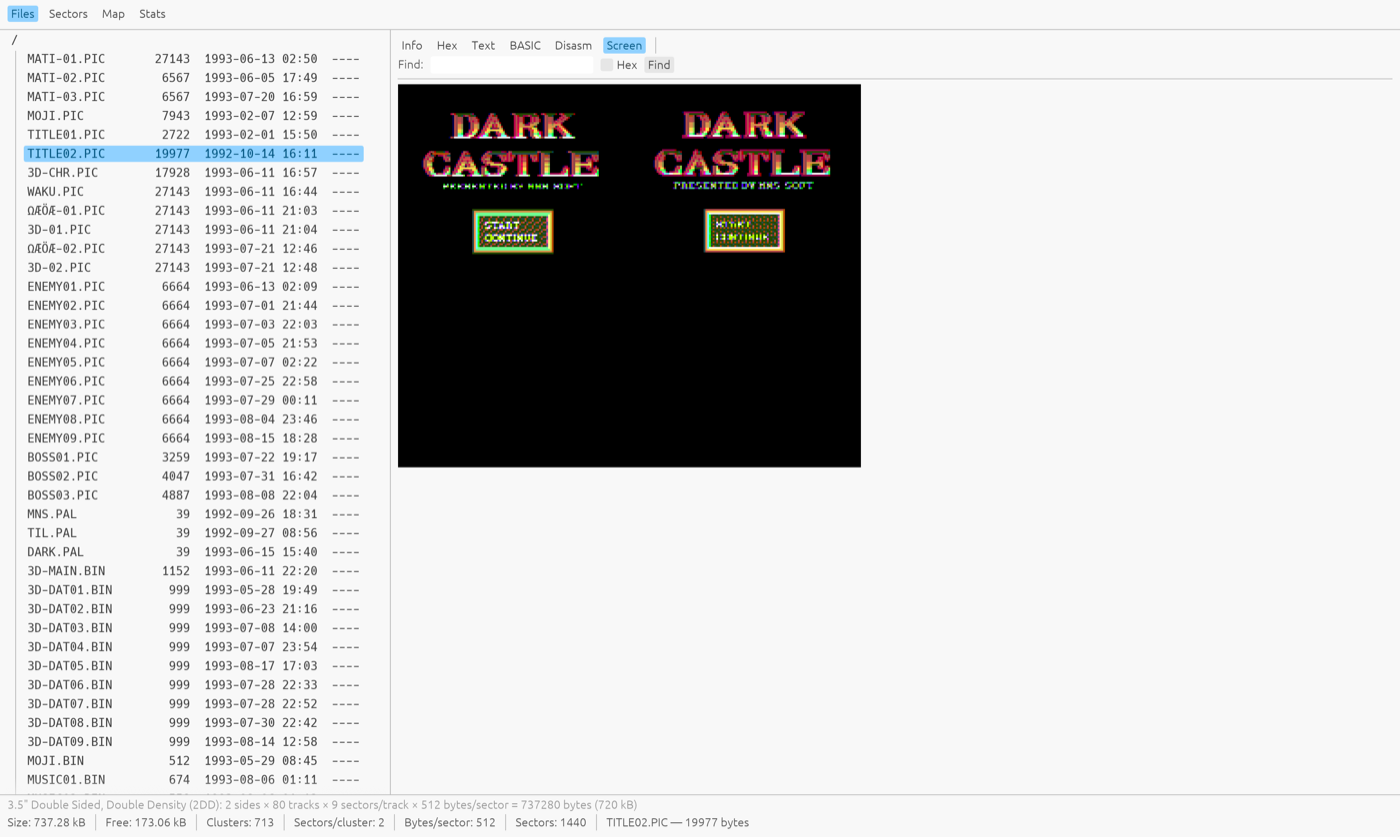
Real disks, real data — MSX-DOS 2 system tools, a Japanese magazine disk, and a game title screen.
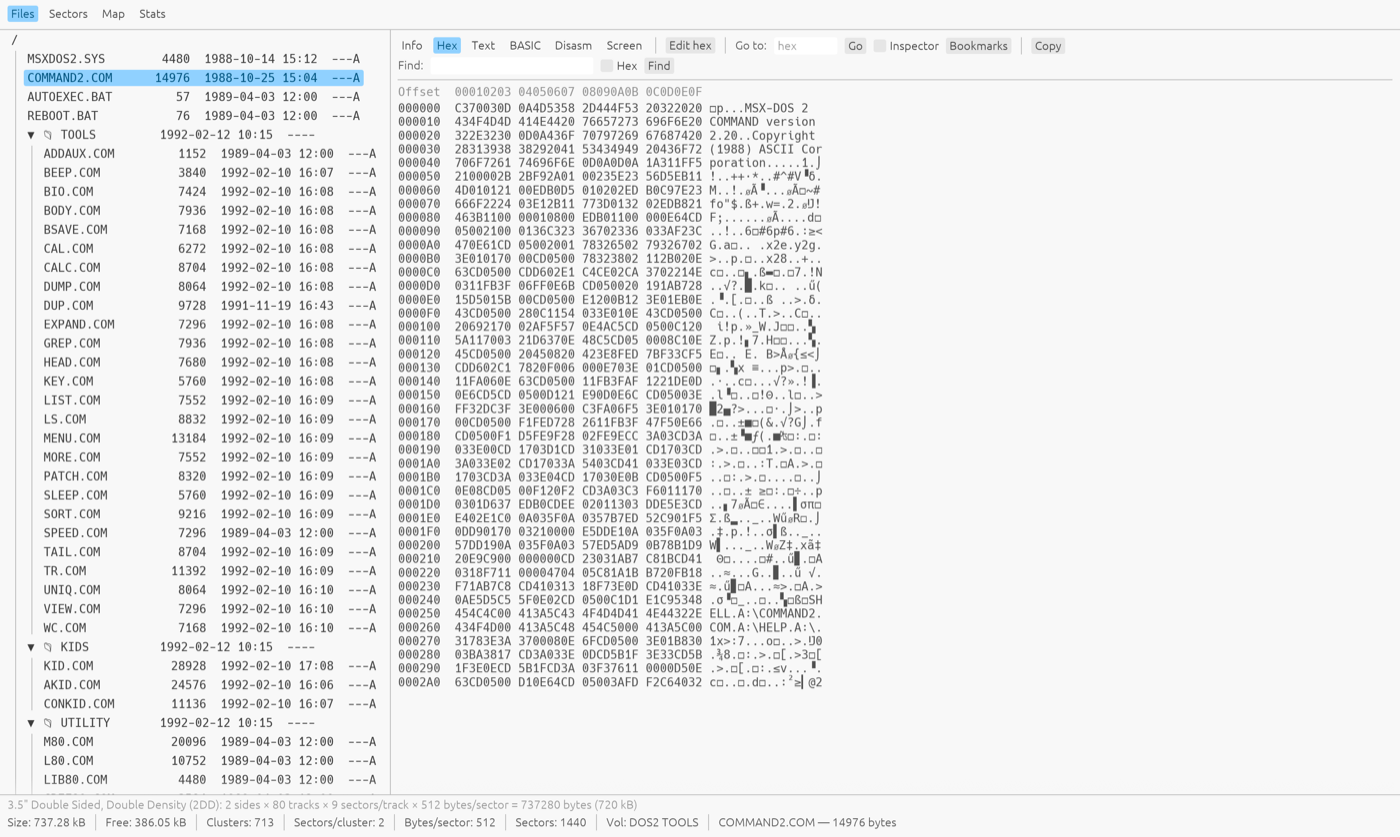
File tree of an MSX-DOS 2 disk with COMMAND2.COM open in the hex viewer
Hex view — byte-level inspection with an ASCII column, selection, go-to-offset and a data inspector.
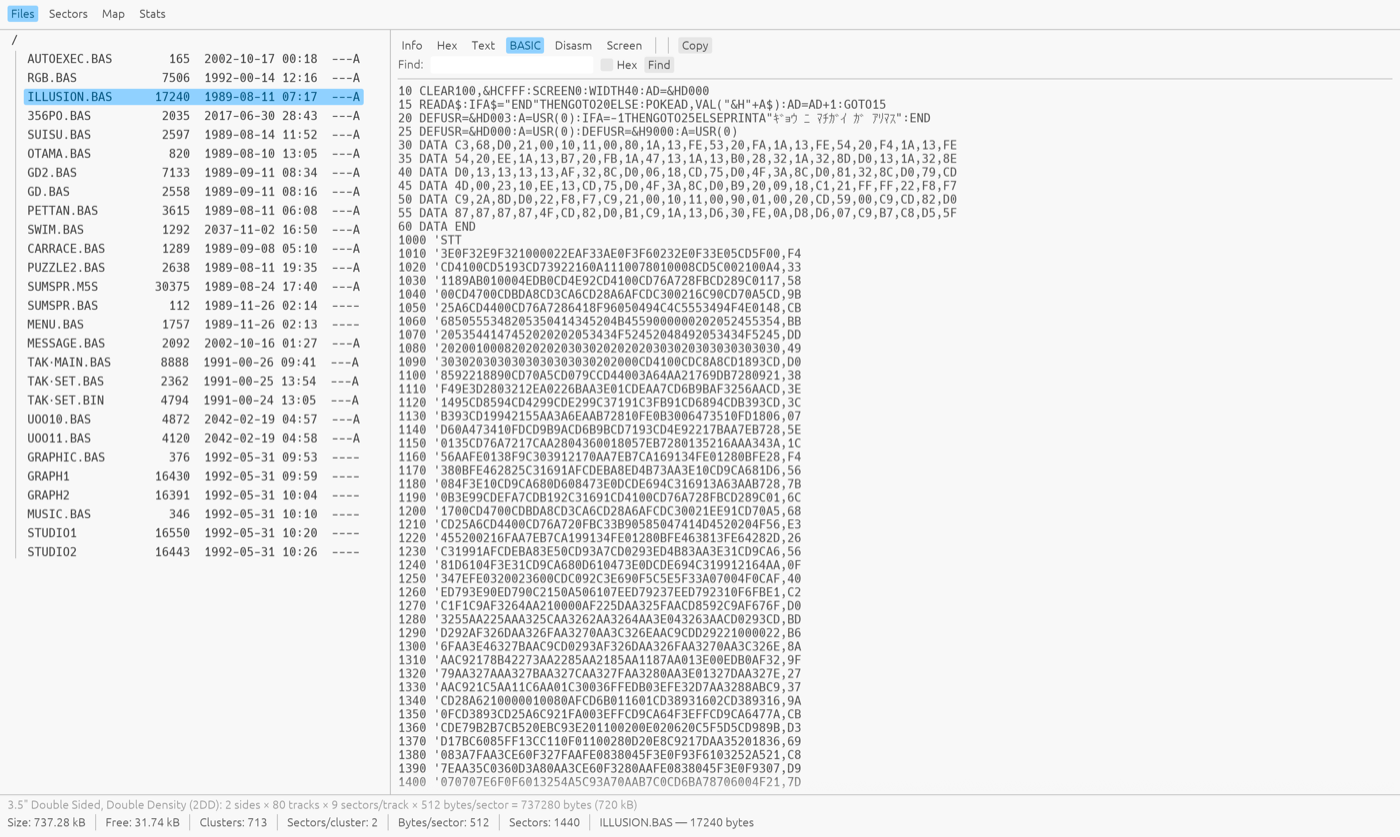
A tokenized MSX-BASIC program shown as a detokenized listing
BASIC view — tokenized MSX-BASIC programs detokenized into readable listings, with regional character sets decoded.
The Dark Castle title screen rendered from a .PIC file inside the disk image
Screen view — MSX graphics decoded straight from the disk.
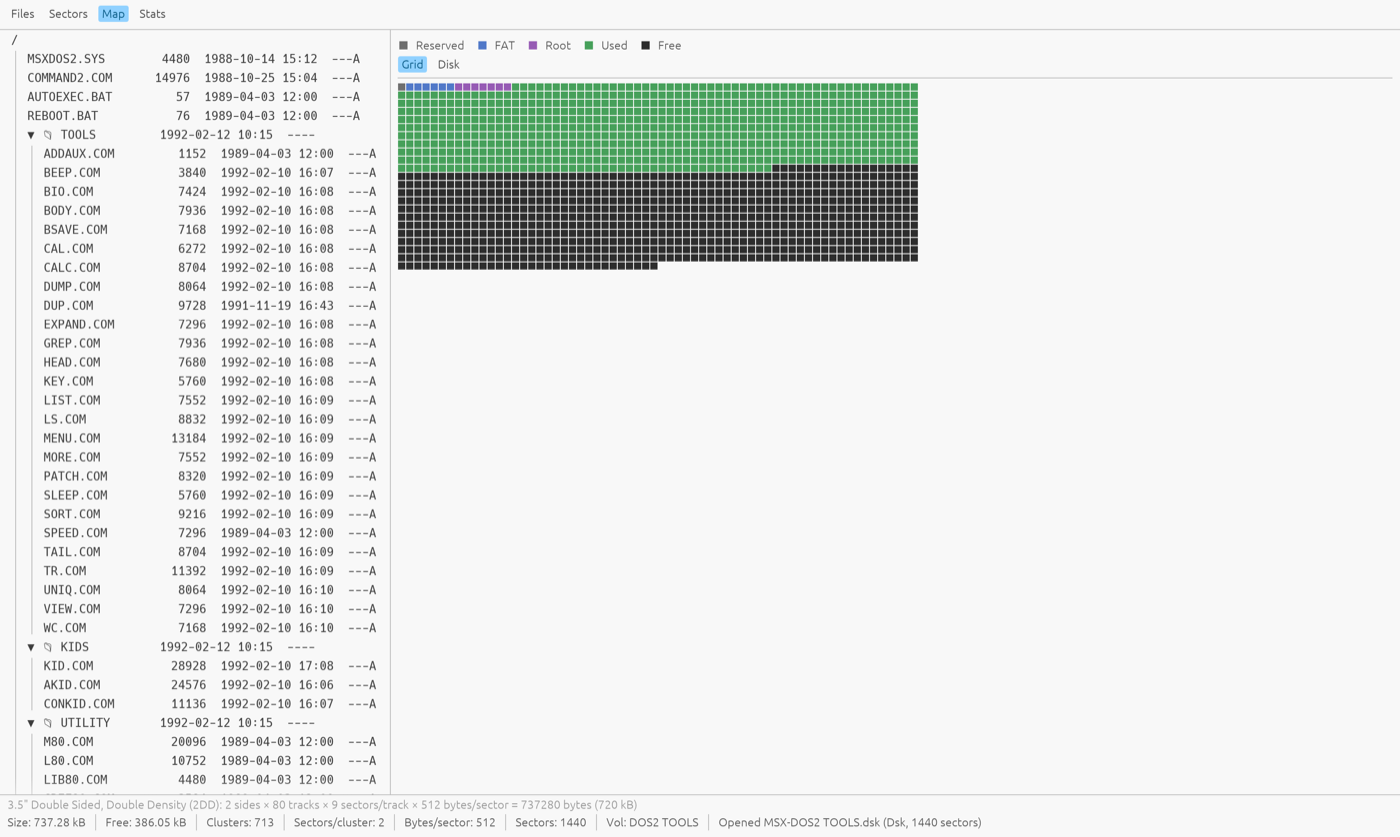
A colored disk-usage map showing reserved, FAT, root, used and free sectors
Disk map — every sector classified (reserved / FAT / root / used / free); click a cell to open that sector.

Features

Every format opens

Raw .dsk dumps, .img, .msx, .ddi, compressed .xsa, raw-track .dmk, MSXPLAYer .sav virtual floppies, openMSX multi-partition hard disks, and .cas/.tsx tapes.

Full disk browser

File tree with MSX-DOS 2 subdirectories, FAT12/FAT16 hard-disk partitions as top-level nodes, tape file lists, and multi-select for batch extract or delete.

Real editing

Add, rename and delete files; edit bytes in hex; edit sectors in place. Writes go back into the original container — and the boot sector is never clobbered (why the boot sector matters).

Hex power tools

Rows that fit the window (or a fixed bytes-per-row), byte selection and copy, go-to-offset, named bookmarks, find (text or hex), and a data inspector that decodes BSAVE headers, boot-sector BPBs and FCBs at the cursor.

BASIC detokenizer

Tokenized MSX-BASIC programs become readable listings, decoded through the right regional character set.

Graphics viewer

SCREEN 2–12, Graph Saurus, Dynamic Publisher, Maki-chan, V9990 .G9B and more, with automatic companion-palette loading and PNG export.

Text encoding menu

International, Japanese (kana), Russian, Korean, Arabic and Brazilian MSX code pages — auto-detected per disk, switchable live for filenames, text, BASIC and hex.

Disk-level insight

Sector viewer with disk-wide search, a graphical usage map, whole-disk stats with FAT-chain integrity checks, and per-track .dmk analysis for copy-protected disks.

File identification

Content-derived Info pane: BSAVE/BLOAD headers, graphics-format details, music and tracker metadata (MoonBlaster, FAC, PT3, MOD, MIDI…), and CRC32/SHA-1 checksums for matching against software databases.

Archives inside disks

List and extract .lzh/.lha/.lzs/.pma archives without leaving the image.

Convert & create

Create blank 360 KB / 720 KB disks; convert any open image to .dsk, compressed .xsa (full XSA compressor included) or MSXPLAYer .sav.

Two-window copying

File → New Window opens a second instance: drag files from one disk's tree straight into a folder on the other (macOS/Windows drag-out; extract + drop on Linux).

Supported formats

Everything is normalized to plain 512-byte sectors on open, so the same tools work on every container.

Format Notes
.dsk .di1 .ds1 .di2 .ds2 Raw sector dumps (360 KB / 720 KB)
.img Raw with a leading side-count byte
.msx 720 KB, cylinder-interleaved sides
.ddi DiskDupe image (header + raw)
.xsa Compressed disk image (decompressed on open, can be written)
.dmk David Keil raw-track image (read-only; normalized + per-track analysis)
.sav MSXPLAYer virtual floppy: a sector diff journal replayed onto an empty 720 KB disk (editable; re-journaled on save)
.dsk (hard disk) openMSX MSX_IDE multi-partition image (read-only; FAT12/FAT16)
.cas MSX cassette tape image (files + block overview)
.tsx MSX tape image (TZX 1.21 with #4B Kansas City blocks)

FAQ

Quick answers to common questions.

What is MSX Media Explorer?

A free desktop app for Linux, Windows and macOS that opens vintage MSX floppy, hard-disk and cassette images. You can browse the files, view them as hex, text, BASIC, Z80 disassembly or MSX graphics, add, rename and delete files, and convert between image formats.

Is it free, and is the source code available?

Yes. MSX Media Explorer is free software by Generation-MSX, licensed under the GPL version 2 or later. The full Rust source code, issue tracker and every release are on GitHub.

How do I open an MSX .dsk file on a Mac or Linux?

Download the macOS .dmg or the Linux binary, start the app and open the .dsk with File → Open or by dropping it on the window. The file tree shows the disk's contents, and selecting a file shows it in the Hex, Text, BASIC or Screen view.

How is MSX Media Explorer different from DskExplorer?

DskExplorer only runs on Windows. MSX Media Explorer runs on Linux, Windows and macOS, and also opens .xsa, .dmk, MSXPLAYer .sav, openMSX hard-disk images and .cas/.tsx tapes. It adds a BASIC detokenizer, a graphics viewer, a disk map, FAT integrity checks and a command-line companion.

Why does macOS warn me the first time I open it?

The macOS app is ad-hoc signed but not notarized by Apple, so Gatekeeper asks for confirmation on first launch. Right-click the app, choose Open and confirm once. After that it starts normally.

Can I edit .dmk or hard-disk images?

Not directly. Raw-track .dmk images and openMSX multi-partition hard-disk images open read-only. To change a .dmk, save it as a .dsk first and edit that. Floppy formats such as .dsk, .img, .msx, .ddi, .xsa and .sav are fully editable.

Is there a command-line version?

Yes. Every release ships mediaexplorer-cli for macOS, Windows and Linux. It runs on the same engine as the app and offers ls, add, extract, rm, mv, mkdir, new, bootsector, convert and split for scripting and batch work.

Changelog

What each release brought.

v0.7.0 7 Oct 2026 LATEST
  • Hex view fills the window — rows now widen with the window instead of staying at 16 bytes with empty space beside them. They grow in steps of 8 bytes, or in whole groups when you've chosen a byte grouping, up to 64 bytes per row. A fixed 8/16/24/32 is still available under View › Bytes per Row. Go to, Find, bookmarks and Copy all follow the visible row width.
  • More multi-disk sets recognised — sets that store each 360 kB single-sided disk in a 720 kB slot (such as 1789 – La Révolution) now open as one disk per slot instead of only the first disk. The full slot is kept, including the data a game reads beyond the filesystem.
  • No junk files from raw data — when a disk's directory area holds game data instead of a directory (common on a game's data disks), it is no longer listed as files with garbled names. "DIR art" and credit entries that scene disks put in the directory still show.
v0.6.2 15 Sep 2026
  • Source files open as text — .MAC, .ASM, .GEN, .INC and the other assembler, C and Pascal sources open in the Text view instead of Hex, as do M80 listings. A file with an unknown extension is checked for text content too, so readmes and data files in English or Japanese open readable straight away.
  • Real tab stops — tabs in the Text view now land on 8-column stops, the M80 and MSX-DOS convention, so assembler sources line up instead of every tab being four spaces wide.
v0.6.1 9 Aug 2026
  • The right icon in the Dock — the running app showed the egui framework's own logo on macOS instead of the MSX disk icon that Finder and the installer show. Same fix for the Windows taskbar.
v0.6.0 8 Aug 2026
  • See the bytes as pixels — a preview panel beside the hex view reads the bytes at the cursor as an MSX picture, in any layout the machine used: 1bpp tiles and sprites, SCREEN 2 and 4 patterns with their colour table, 2/4/8bpp and YJK. It scans straight across sector boundaries and can take its palette from the file itself, so unrecognised graphics are still readable.
  • Multi-disk images — a file holding several disks back to back opens as one volume per disk instead of a single confusing blob. There is a Jump to row in the Sectors view, File > Extract Disks pulls them apart, and the split command does the same from the terminal.
  • Zip archives open directly — drop in a .zip and every disk image inside becomes its own volume, readmes and scans ignored. Read-only, and Stats checksums each disk separately so the values still match a software database.
  • No more phantom files — directory entries that cannot describe a real file are left out of the listing and counted instead, so custom-format game disks stop showing multi-gigabyte garbage. Kana and control characters in names are still accepted.
  • Holding a sector arrow now keeps stepping and accelerates, and picking a file moves the Sectors view to where that file starts.
v0.5.0 1 Aug 2026
  • Dutch and English interface — the whole UI is translated and picks your system language on first run; switch it any time from the Language menu.
  • Filter and fly through the file tree — narrow a disk down with a glob pattern (*.bas), and drive the tree entirely from the keyboard: arrows to move, typing to jump to a name, Enter to open, and shortcuts for rename, delete and extract.
  • Extract whole directories — folders come out with their structure intact, each file keeping its original MSX timestamp, and names that MSX allows but your host does not are made safe automatically.
  • Update notifications — the app checks for a newer release and points you at it, rather than leaving you to find out by chance. It never installs anything by itself, and the check can be switched off.
  • More graphics are recognised by their contents, so GL shape and magic-format pictures preview even without a telltale extension.
  • .hlp files open as text, hard-disk images describe their partitions in the status bar, and filenames containing control characters are displayed safely.
v0.4.0 14 Jul 2026
  • Command-line companion (mediaexplorer-cli) — a headless tool shipped for every platform: ls, add, extract, rm, mv, mkdir, new, bootsector and convert, for scripting and batch work on the same engine as the app.
  • Real MSX-DOS boot sectors — new disks are created with a genuine MSX-DOS 2 boot sector (VOL_ID + volume serial, so UNDEL and the disk cache work); bootsector installs or upgrades a DOS 1/2 boot sector on an existing image, FIXDISK-style.
  • Editable .xsa — compressed images can now be edited in place and are recompressed on save, instead of being read-only.
  • MSXPLAYer .sav — open, browse and edit the virtual floppies from the MSX MAGAZINE emulator, and convert to or from them.
  • Open dialog gains an All files choice for images with an odd or missing extension, plus a fix for prefix-less raw .img dumps.
v0.3.0 7 Jul 2026
  • Search inside the view you're reading — Find now searches the Text, BASIC and Disassembly listings, not just Hex, highlighting every match in place and stepping between them.
  • Two windows side by side — File → New Window opens a second, independent window so you can drag files from one disk straight onto another.
  • Japanese & regional text fixes — kana and other glyphs no longer break column alignment in the file tree, tape list or hex ASCII column, and an unterminated BASIC string no longer garbles the rest of a listing.
  • View-focused — file editing is tucked away while this first release concentrates on browsing and inspection.
  • Confirmed Windows 10/11 support, a readable search highlight, and assorted polish.
v0.2.0 27 Jun 2026
  • Text Encoding menu — decode filenames and text through six MSX regional code pages (International, Japanese, Russian, Korean, Arabic, Brazilian), auto-detected per disk and switchable live.
  • Save As in the File menu — convert the open image to .dsk or compressed .xsa from one place.
v0.1.0 26 Jun 2026
  • The foundation. Opens every common MSX floppy format plus .dmk raw-track images, openMSX multi-partition hard disks, and .cas/.tsx tapes.
  • Viewers for Info, Hex (with a data inspector), Text, detokenized BASIC, Z80/R800 disassembly, and decoded MSX / MSX2 / MSX2+ / V9990 graphics.
  • Disk tools — Sectors, a graphical disk-usage Map, whole-disk Stats with FAT-chain integrity checks, and per-track .dmk analysis.
  • File identification with type and music/graphics metadata plus CRC32/SHA-1, drag-and-drop, clipboard & PNG export, XSA conversion, and blank-disk creation.