MSX Media
Explorer_

A free, cross-platform desktop tool for browsing, inspecting, editing and converting vintage MSX floppy, hard-disk and cassette images.

Download

Prebuilt binaries for every platform.

macOS

Universal .dmg — Apple Silicon and Intel in one bundle. The app is ad-hoc signed (not notarized): right-click → Open once on first launch.

Get .dmg

Windows

Standalone .exe for Windows 10 or 11 (64-bit) — no installer, no dependencies. Download and run.

Get .exe

🐧 Linux

Standalone x86-64 binary. Make it executable and go: chmod +x mediaexplorer-*

Get binary

Prefer the terminal? Every release also ships mediaexplorer-cli, a command-line companion that creates, lists, edits, extracts, and converts disk images — macOS, Windows, Linux.

Screenshots

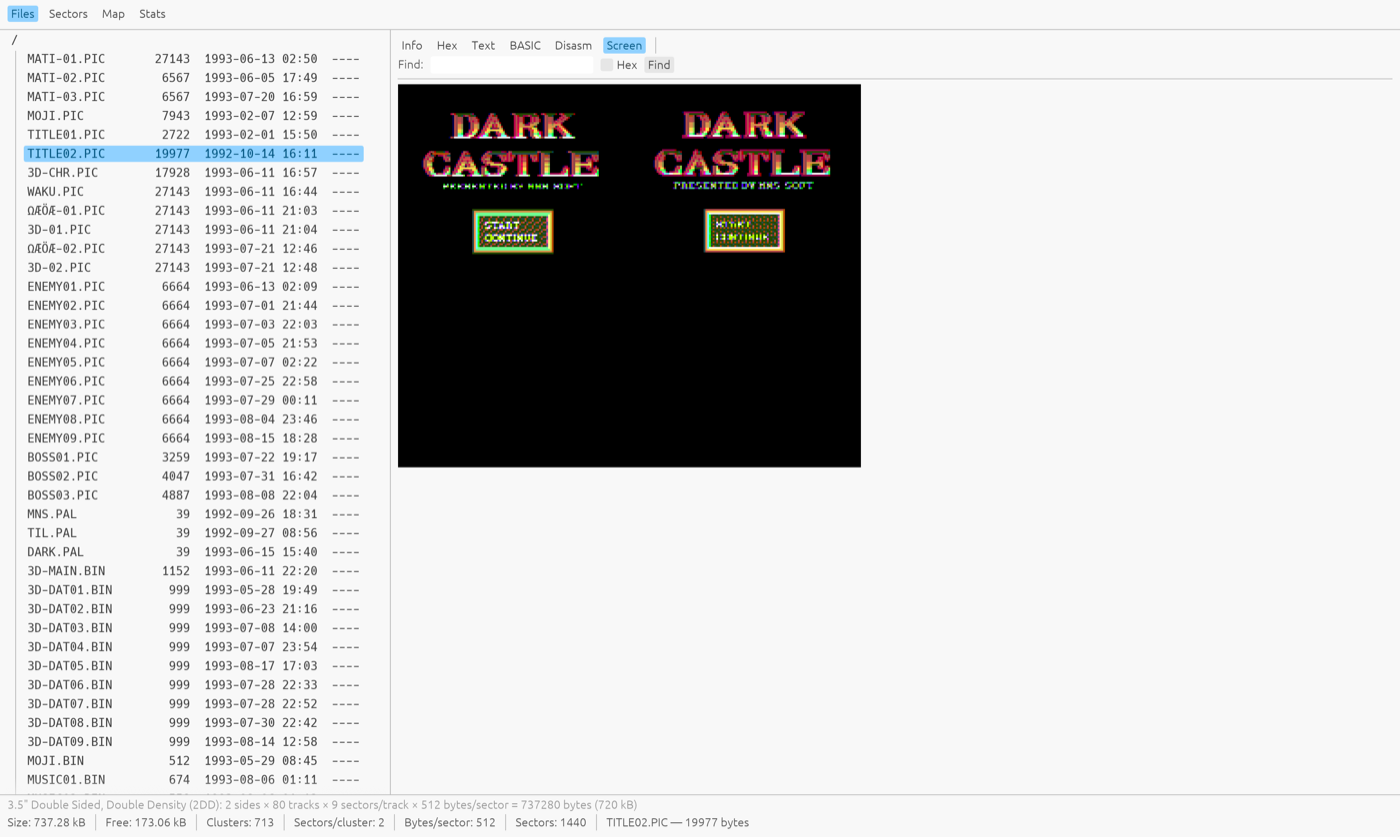
Real disks, real data — MSX-DOS 2 system tools, a Japanese magazine disk, and a game title screen.
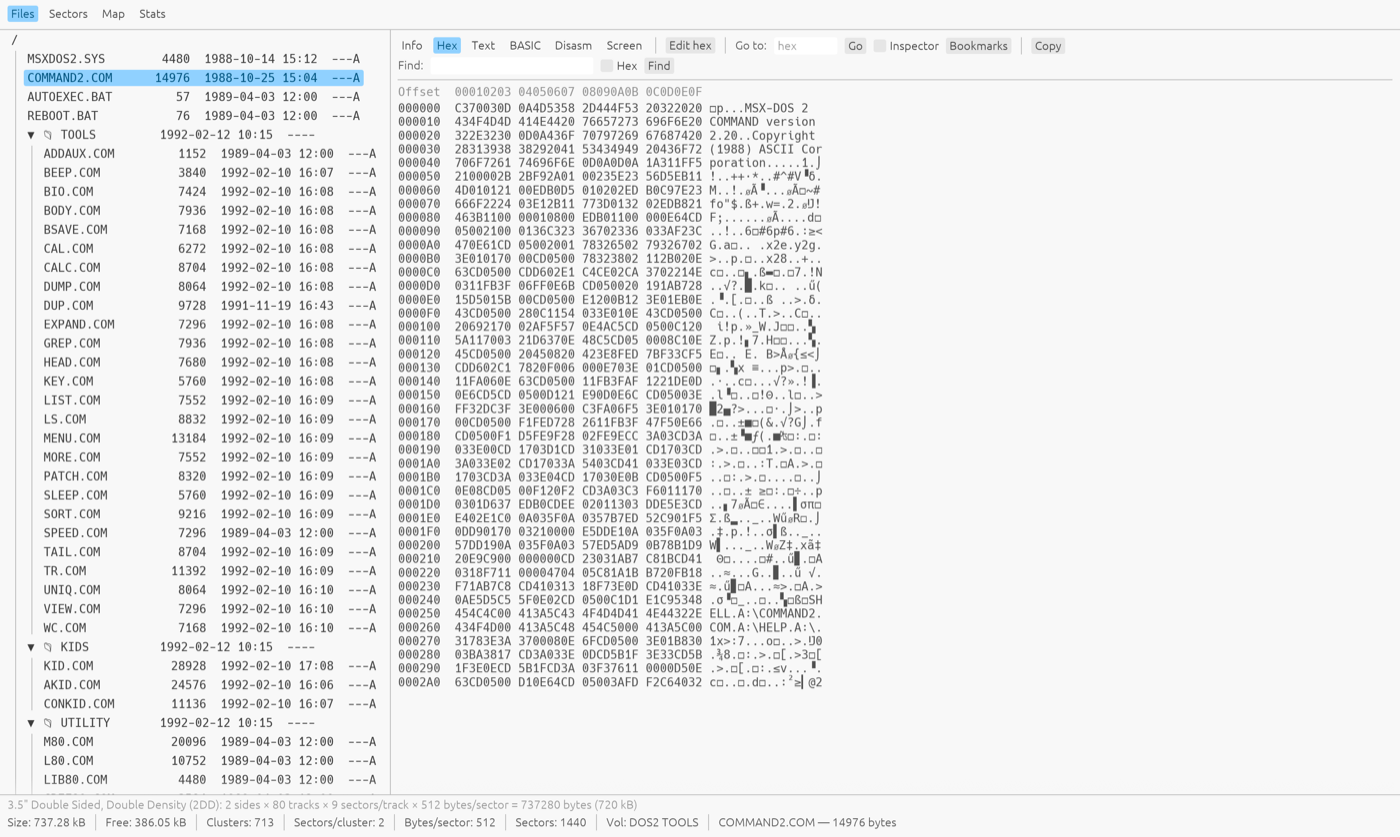
File tree of an MSX-DOS 2 disk with COMMAND2.COM open in the hex viewer
Hex view — byte-level inspection with an ASCII column, selection, go-to-offset and a data inspector.
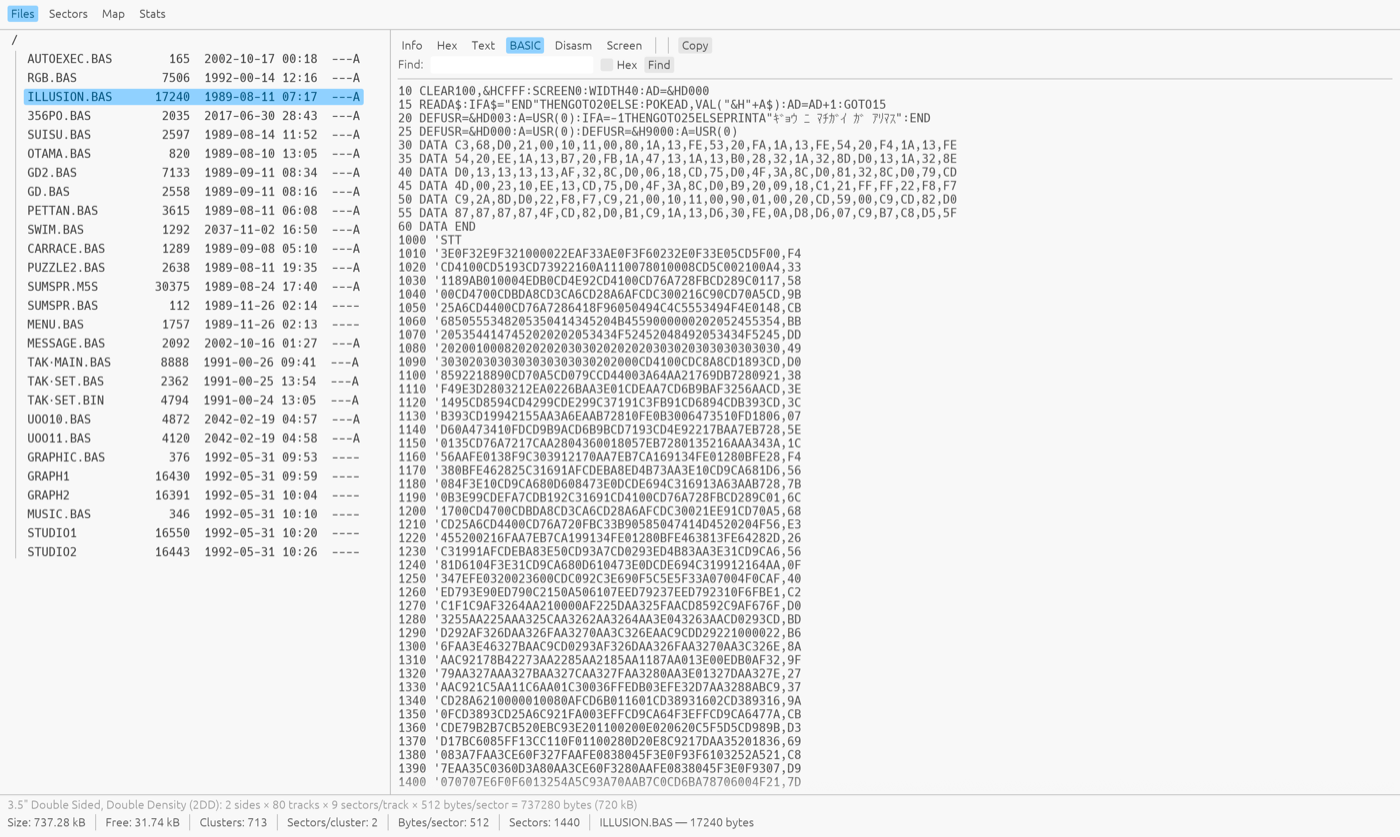
A tokenized MSX-BASIC program shown as a detokenized listing
BASIC view — tokenized MSX-BASIC programs detokenized into readable listings, with regional character sets decoded.
The Dark Castle title screen rendered from a .PIC file inside the disk image
Screen view — MSX graphics decoded straight from the disk.
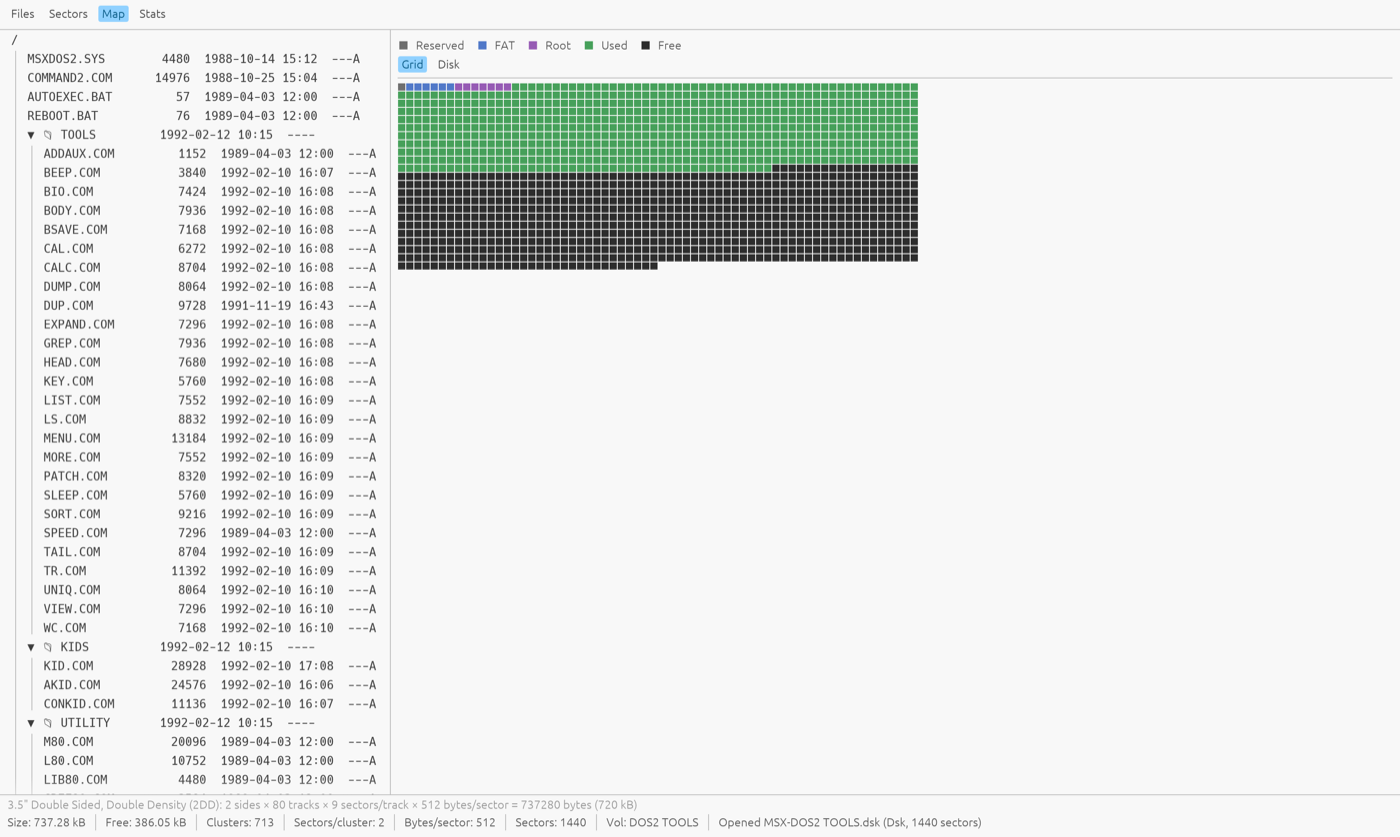
A colored disk-usage map showing reserved, FAT, root, used and free sectors
Disk map — every sector classified (reserved / FAT / root / used / free); click a cell to open that sector.

Features

Every format opens

Raw .dsk dumps, .img, .msx, .ddi, compressed .xsa, raw-track .dmk, MSXPLAYer .sav virtual floppies, openMSX multi-partition hard disks, and .cas/.tsx tapes.

Full disk browser

File tree with MSX-DOS 2 subdirectories, FAT12/FAT16 hard-disk partitions as top-level nodes, tape file lists, and multi-select for batch extract or delete.

Real editing

Add, rename and delete files; edit bytes in hex; edit sectors in place. Writes go back into the original container — and the boot sector is never clobbered.

Hex power tools

Selectable bytes-per-row, byte selection and copy, go-to-offset, named bookmarks, find (text or hex), and a data inspector that decodes BSAVE headers, boot-sector BPBs and FCBs at the cursor.

BASIC detokenizer

Tokenized MSX-BASIC programs become readable listings, decoded through the right regional character set.

Graphics viewer

SCREEN 2–12, Graph Saurus, Dynamic Publisher, Maki-chan, V9990 .G9B and more, with automatic companion-palette loading and PNG export.

Text encoding menu

International, Japanese (kana), Russian, Korean, Arabic and Brazilian MSX code pages — auto-detected per disk, switchable live for filenames, text, BASIC and hex.

Disk-level insight

Sector viewer with disk-wide search, a graphical usage map, whole-disk stats with FAT-chain integrity checks, and per-track .dmk analysis for copy-protected disks.

File identification

Content-derived Info pane: BSAVE/BLOAD headers, graphics-format details, music and tracker metadata (MoonBlaster, FAC, PT3, MOD, MIDI…), and CRC32/SHA-1 checksums for matching against software databases.

Archives inside disks

List and extract .lzh/.lha/.lzs/.pma archives without leaving the image.

Convert & create

Create blank 360 KB / 720 KB disks; convert any open image to .dsk, compressed .xsa (full XSA compressor included) or MSXPLAYer .sav.

Two-window copying

File → New Window opens a second instance: drag files from one disk's tree straight into a folder on the other (macOS/Windows drag-out; extract + drop on Linux).

Supported formats

Everything is normalized to plain 512-byte sectors on open, so the same tools work on every container.

Format Notes
.dsk .di1 .ds1 .di2 .ds2 Raw sector dumps (360 KB / 720 KB)
.img Raw with a leading side-count byte
.msx 720 KB, cylinder-interleaved sides
.ddi DiskDupe image (header + raw)
.xsa Compressed disk image (decompressed on open, can be written)
.dmk David Keil raw-track image (read-only; normalized + per-track analysis)
.sav MSXPLAYer virtual floppy: a sector diff journal replayed onto an empty 720 KB disk (editable; re-journaled on save)
.dsk (hard disk) openMSX MSX_IDE multi-partition image (read-only; FAT12/FAT16)
.cas MSX cassette tape image (files + block overview)
.tsx MSX tape image (TZX 1.21 with #4B Kansas City blocks)

Changelog

What each release brought.

v0.6.0 8 Aug 2026 LATEST
  • See the bytes as pixels — a preview panel beside the hex view reads the bytes at the cursor as an MSX picture, in any layout the machine used: 1bpp tiles and sprites, SCREEN 2 and 4 patterns with their colour table, 2/4/8bpp and YJK. It scans straight across sector boundaries and can take its palette from the file itself, so unrecognised graphics are still readable.
  • Multi-disk images — a file holding several disks back to back opens as one volume per disk instead of a single confusing blob. There is a Jump to row in the Sectors view, File > Extract Disks pulls them apart, and the split command does the same from the terminal.
  • Zip archives open directly — drop in a .zip and every disk image inside becomes its own volume, readmes and scans ignored. Read-only, and Stats checksums each disk separately so the values still match a software database.
  • No more phantom files — directory entries that cannot describe a real file are left out of the listing and counted instead, so custom-format game disks stop showing multi-gigabyte garbage. Kana and control characters in names are still accepted.
  • Holding a sector arrow now keeps stepping and accelerates, and picking a file moves the Sectors view to where that file starts.
v0.5.0 1 Aug 2026
  • Dutch and English interface — the whole UI is translated and picks your system language on first run; switch it any time from the Language menu.
  • Filter and fly through the file tree — narrow a disk down with a glob pattern (*.bas), and drive the tree entirely from the keyboard: arrows to move, typing to jump to a name, Enter to open, and shortcuts for rename, delete and extract.
  • Extract whole directories — folders come out with their structure intact, each file keeping its original MSX timestamp, and names that MSX allows but your host does not are made safe automatically.
  • Update notifications — the app checks for a newer release and points you at it, rather than leaving you to find out by chance. It never installs anything by itself, and the check can be switched off.
  • More graphics are recognised by their contents, so GL shape and magic-format pictures preview even without a telltale extension.
  • .hlp files open as text, hard-disk images describe their partitions in the status bar, and filenames containing control characters are displayed safely.
v0.4.0 14 Jul 2026
  • Command-line companion (mediaexplorer-cli) — a headless tool shipped for every platform: ls, add, extract, rm, mv, mkdir, new, bootsector and convert, for scripting and batch work on the same engine as the app.
  • Real MSX-DOS boot sectors — new disks are created with a genuine MSX-DOS 2 boot sector (VOL_ID + volume serial, so UNDEL and the disk cache work); bootsector installs or upgrades a DOS 1/2 boot sector on an existing image, FIXDISK-style.
  • Editable .xsa — compressed images can now be edited in place and are recompressed on save, instead of being read-only.
  • MSXPLAYer .sav — open, browse and edit the virtual floppies from the MSX MAGAZINE emulator, and convert to or from them.
  • Open dialog gains an All files choice for images with an odd or missing extension, plus a fix for prefix-less raw .img dumps.
v0.3.0 7 Jul 2026
  • Search inside the view you're reading — Find now searches the Text, BASIC and Disassembly listings, not just Hex, highlighting every match in place and stepping between them.
  • Two windows side by side — File → New Window opens a second, independent window so you can drag files from one disk straight onto another.
  • Japanese & regional text fixes — kana and other glyphs no longer break column alignment in the file tree, tape list or hex ASCII column, and an unterminated BASIC string no longer garbles the rest of a listing.
  • View-focused — file editing is tucked away while this first release concentrates on browsing and inspection.
  • Confirmed Windows 10/11 support, a readable search highlight, and assorted polish.
v0.2.0 27 Jun 2026
  • Text Encoding menu — decode filenames and text through six MSX regional code pages (International, Japanese, Russian, Korean, Arabic, Brazilian), auto-detected per disk and switchable live.
  • Save As in the File menu — convert the open image to .dsk or compressed .xsa from one place.
v0.1.0 26 Jun 2026
  • The foundation. Opens every common MSX floppy format plus .dmk raw-track images, openMSX multi-partition hard disks, and .cas/.tsx tapes.
  • Viewers for Info, Hex (with a data inspector), Text, detokenized BASIC, Z80/R800 disassembly, and decoded MSX / MSX2 / MSX2+ / V9990 graphics.
  • Disk tools — Sectors, a graphical disk-usage Map, whole-disk Stats with FAT-chain integrity checks, and per-track .dmk analysis.
  • File identification with type and music/graphics metadata plus CRC32/SHA-1, drag-and-drop, clipboard & PNG export, XSA conversion, and blank-disk creation.